-
Office Mix end of Service Reminder – 2 Weeks Remaining to Migrate Content
What is Happening?
Microsoft have recently notified any staff that have used Office Mix that it it will be retired on May 1st, 2018. On this date the Microsoft Office Mix site and all its content will be officially discontinued. The site will no longer be accessible after that date. Any links or embedded content to your Office Mix content in your Learning Edge courses will stop working after this date.
What do I need to do?
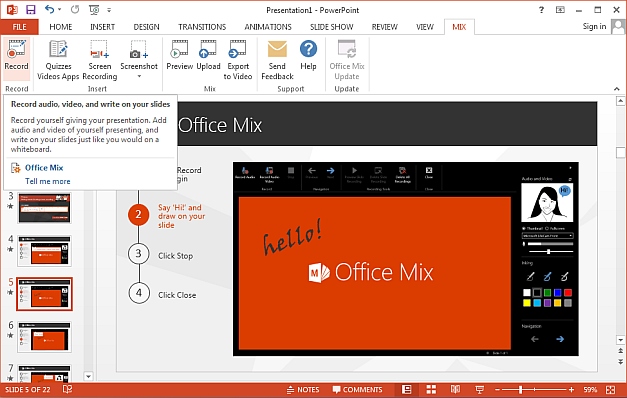
A number of staff at Edge Hill University have been using Office Mix as a tool to create interactive multi-media presentations for their Learning Edge (Blackboard) courses. If you have been using Office Mix, you will need to download any files you wish to keep before May 1st, 2018.
If you would like to save your content, you can download your Mixes as PowerPoint files (.pptx), and your analytics data as Excel files (.xlsx) to save to your local storage device.
We recommend that you now re-publish your Mixes as videos and upload them to Panopto. If you have quiz questions in your Mixes you will need to recreate them using the Panopto interactive quiz tool. Please contact your faculty Technologist for support with this procedure.
Will Microsoft replace Office Mix?
Microsoft have said that “Over time, we will be adding the best experiences of Office Mix across PowerPoint, Stream, and Forms to make it even easier for you to create and share interactive online videos.”
Microsoft has also published an information page. Edge Hill University staff should note that we do not currently have access to Microsoft Stream. Our Panopto service will offer the exact same experience for these types of online materials.
Desktop Recording alternative
The Learning Technology Development team recommend that all staff use Panopto as a desktop recording replacement. Please check the Learning Services Lecture Capture page for further information on this service and how if can be used as a guide to Desktop Recording.
FAQs
Can the current Mixes in my course continue until 1st May 2018?
Yes, but we recommend that you ensure that you have downloaded a copy of all your presentations. Links that have been copied forward from a previous semester will still work in Learning Edge. An automatic message about the retirement of Office Mix, will be display every time a staff member or student clicks on an Office Mix link in their course.Can I still publish Mixes to the Office website until 1st May 2018?
No, the publishing functionality has not been available since 1st January 2018.Can I continue to use Office Mix to produce videos?
Yes, only the Office Mix publishing site is not available. Office Mix PowerPoint plug in though may not work with future versions of PowerPoint or Windows. Note, the Office Mix PowerPoint plug in is no longer available to download.Could I migrate my Office Mixes to a private Mircosoft Stream account?
Yes, but this does not have any advantages over uploading the content to Panopto. Your Office Mix will be converted to a video and the navigation and quizzes features will not be available.Do Microsoft have any support pages?
If you have questions or need help with your account, please visit their help article or contact Microsoft Mix support here: https://aka.ms/mix-support
Mark Wilcock
Learning Technologist
-
Defeating ‘The Beast from the East’: How Collaborate was used to run a ‘blended’ conference
Blackboard Collaborate is an online classroom tool. It is designed to allow presentations and tutorials to be given to students while they are off-campus. In this blog post we look at an unusual use of Collaborate, as it was used to run a ‘blended’ conference.
Meg Juss: Could you set the scene for us?
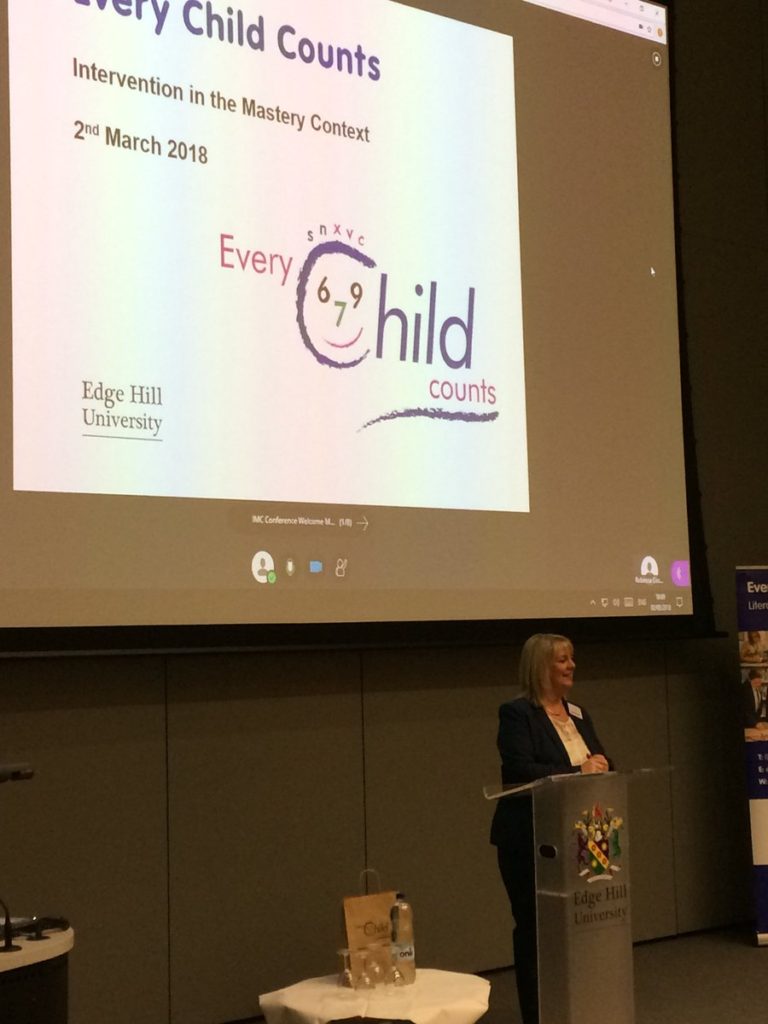
Peter Beaumont: The Every Child Counts conference had been organised to run at Edge Hill University in early March 2018, with speakers coming from all over the country. However a day before it was going to run it was clear that due to snow, with red and orange weather warnings in many parts of the country, most of the presenters and many attendees were not going to be able to make it.
Waiting for our delegates!! pic.twitter.com/bUcsCV7jHP
— Every Child Counts (@ECC_EHU) March 2, 2018

MJ: Can you explain what we did?
PB: First we posted to the very helpful ALT-MEMBERS mailing list to ask for advice from the learning technology community. It was useful to read personal experiences of others, and the advice influenced some of the specific decisions we took.
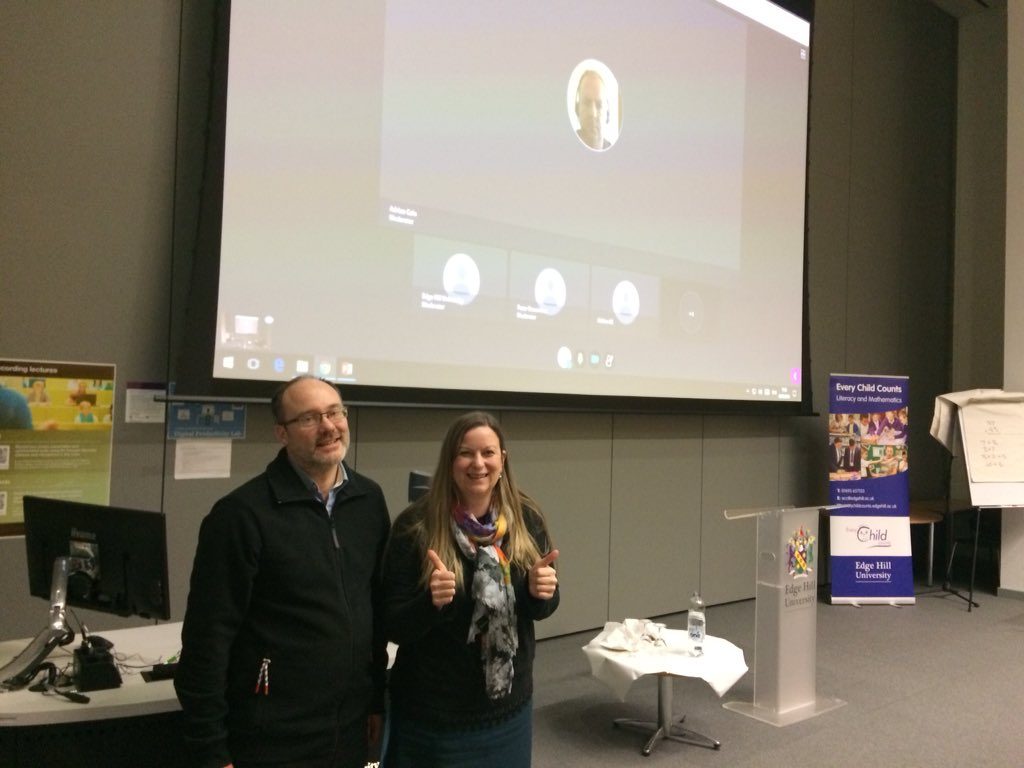
The key thing for us was to enable the speakers to present from home, but we also wanted distance attendees to be able to experience and take part in the conference as much as possible. We decided to try and run the conference through Blackboard Collaborate. Speakers would present through it, and their webcam video and slides could be displayed on the big screen in the lecture theatre, as well as on distance attendees computer screens. Distance attendees could post questions in chat when it was time for post-presentation questions, and we used a Catchbox microphone to ensure that questions asked in the room, could be heard at a distance.
Welcome delegates, both on campus and remote #ECCCONF2018 pic.twitter.com/gekNSCXWaR
— Every Child Counts (@ECC_EHU) March 2, 2018
MJ: What were the issues and concerns?
PB: Because the conference was suddenly moved online, presenters’ slides were not created with Collaborate in mind. Animations don’t work as slides are converted to images, and videos need taking out of the slides and presenting another way. The presenters were fantastic and flexible and spent extra time changing to fit the limitations of presenting this way. Obviously in an ideal world we’d want to work with presenters to make the most of the technology, rather than be limited by it, but there just wasn’t time for that.
There were some distance attendees who were finding that slides were not updating, and we worked with Blackboard to identify that these users were not using the Chrome browser. Although we sent out instructions advising the use of Chrome, we identified two issues which we will need to consider in future. Not all users have an understanding that different web browsers are available, and I think their mental model of using the web is that they click on the ‘e’ to ‘open the internet’. The other thing to consider is the amount of pre-conference information that can you send to attendees before you get into a TL;DR situation?
Finally, even with wonderful, understanding and flexible presenters, unexpected things can happen. For example a presenter in the room might do something in the room which cannot be followed at a distance, for example writing on a flip chart. When that happened at this conference, we copied what was being written using the Collaborate annotation tools, allowing the distance attendees to follow. There are moments like that when you are a bit unsure what you are going to do.
Our second keynote speaker Rebecca Cosgrave, presenting remotely #ECCCONF2018 pic.twitter.com/1WI8IV46pu
— Every Child Counts (@ECC_EHU) March 2, 2018

MJ: What would be your advice to others trying to do this?
PB: Running a ‘blended’ conference felt successful and we got good feedback from attendees, but we did have three people working on Collaborate all day during the conference, and spending the day before planning, and speaking to the presenters. One person was supporting the presenters, doing things like switching between the slides and the videos, switching the room mics on so distance presenters could hear the audience during discussion times, and operating the Catchbox mic. One person was at home, meaning they were aware of how the distance attendees were experiencing the conference, and they offered support to those having issues, as well as advising the people supporting the conference on campus of how it sounded and looked. The third person, was monitoring chat to collect questions from the distance attendees, welcoming and supporting attendees, copying what was written on flipcharts, etc. This sort of support, from people who understand the Collaborate system, is not often available.
You need to prepare online presenters in advance, so that their slides and planned activities are appropriate for the presentation method. Presenting online doesn’t have to be a worse experience than a face-to-face presentation, but you need to understand the strengths and limitations of the medium.
A lot of small things are quite important too. We found that putting some ‘elevator’ music on in the room between sessions, gave some feedback to distance attendees that they were in the right place. We made sure that Collaborate notifications are turned off on the presenter PC at the front, so that it was not bleeping as people entered and left the session.
Collaborate is a good solution to enable people to present online, but you need to be aware of the risks. If the presenter’s home internet is poor, then the session could be frustrating for attendees to follow. The Every Child Counts team very wisely had back-up plans for an alternative session, in case something went wrong. However, there are risks with face-to-face presentations too, as we saw with this conference. There is no reason to be scared of online presentations, as long as you and the attendees are prepared.
Massive thanks to Megan, Peter, Adrian and all from Learning Services for saving our conference from cancellation. The webinar was excellent #ECCCONF2018 pic.twitter.com/CVhKhVRco5
— Every Child Counts (@ECC_EHU) March 2, 2018
MJ: Can you share any quotes with us?
Distance Attendee: “The day exceeded my expectations. The speakers were fantastic [… it was] all very informative and useful. The online conference was exceptional. It was very easy and smooth. The moderators were very helpful. A fantastic experience – would be a great way to deliver a course/ conference in the future.”
ECC Team: “[The Learning Technology Development team] managed a mixture of onsite and distant presenters and onsite and distant audiences that worked beautifully, was roundly praised by all concerned … and [the Every Child Count’s team are] very grateful”
Learning Technology Team: “We enjoyed the challenge and learnt a lot in the 12 working hours we had to prep, as well as during the event.”

Meg Juss, Learning Technology Development Manager
-
Bite-sized Lecture Series
Students at Edge Hill University value the support they receive whist studying here, so much that they tell us how important that support is, each year through the National Student Survey.

Edge Hill has a diverse student population and recognises the importance of innovative approaches to teaching and learning which are both inclusive and supportive.
Since the introduction of Panopto software in 2016, more and more areas of the University are being provisioned and many more students are benefiting from access to recorded lecture content.
Andrea Wright (Senior Lecturer – Film Studies), introduced her students to recordings of taught sessions to encourage engagement and shared understanding of her topics. Andrea’s approach to using Panopto, means that her students can review lectures in manageable bite-sized videos.
From the statistics gathered over two years of using Panopto, Andrea is able to see when students are making use of her bit-sized recordings.

Consistently, the peak periods of use are around assessment time and prior to submission deadlines. Students are using the recordings as a support mechanism and revision tool, to check key terms, concepts and understanding of the topic.
Andrea also states “following the introduction of Panopto in 2016, there is certainly some evidence of students attaining slightly better in the modules. Particularly for some students who may well have struggled to gain a pass mark, there was evidence of them getting beyond the pass mark and a larger proportion of students achieving a first class.” Andrea strongly believes, Panopto has the potential to benefit all students to gain higher marks toward their degree.
For more information about Panopto at Edge Hill University, please contact our team of experts on [email protected]
If you feel inspired by Andrea’s story and want to use this or another technology to help you enhance and support your own teaching, please get in touch with the Learning Technology Development Team in Learning Services. We would be very happy to work with you.
Related case studies: Inclusive Practice.

Martin Baxter
Learning Technology Development Officer
(Faculty of Arts & Sciences)
Carol Chatten
Learning Technology Development Officer
(FAS & Medical Education)