-
Blackboard Ally is being rolled out January 2019

To support our commitment to a more inclusive campus, we’re introducing a new tool called Ally!
What is Blackboard Ally
Ally helps your students get the most from their course resources, and help you make your Blackboard space inclusive for all. Blackboard Ally automatically converts course resources into a variety of formats, from HTML and e-book for reading on mobile devices, to Electronic Braille for the visually impaired, and audio for learning on the go.
Ally also helps you make small changes to resources you upload to make them more accessible, in easy-to-follow steps.
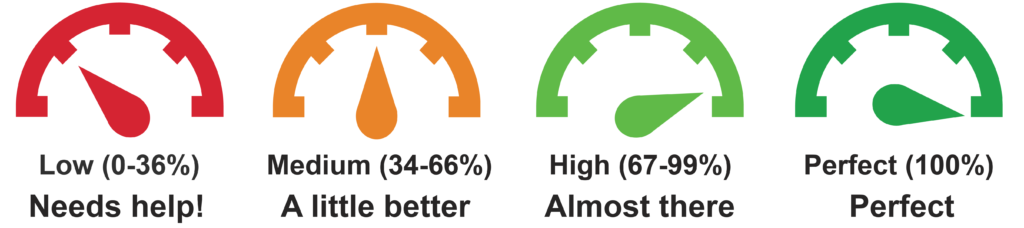
Instructors will see a small dial icon next to any uploaded content giving an indication of how accessible it is. Clicking this icon will detail issues along with helpful guidance and a simple interface to fix them. Students do not see these accessibility indicators, the only interaction they have with Ally is downloading automatically generated alternative formats.
Ally is being rolled out in the New Year (January 2019): to find out more, explore these quick guides from Blackboard to get you started.
For Instructors – get to know Ally
- Ally basics: what is Ally and what does it do?
- Feedback on your content: learn how Ally can help you make your content more accessible.
- Accessibility checklist – a quick start guide to accessible content.
- Instructors full package: Resources and Support.
For Students – How to access usable resources
Twitter users can also follow #BbAlly to see how others across the HE sector are using Ally.
If you would like any further information about Blackboard Ally, and other learning technologies, please contact your Technologist via Ask LTD

Mark Wilcock
Learning Technologist
-
Inclusive by Design
As part of Learning Service’s “Inclusive by Design” initiative and on the International Day of Persons with Disabilities, Learning Technology Development (LTD) want to mention some of the things we are doing to support staff to generate content and resources that are usable for all. The team are working with others to improve content across all areas but more importantly for students to be able to use resources in a way that suites them and their needs.
Introducing Blackboard Ally (coming January 2019).
- Ally provides you guidance on how to correct accessibility issues with your digital course content. Students are able to download a version of the file most appropriate for their device and need.
Social Sites – VLE Skip Link option.
- Important for keyboard-only users to navigate VLE content without getting bogged down in a seemingly never ending series of clicks before they are able to move on to the next item.
Transcripts and Closed Captions.
- The latest LTD video productions contain transcripts for those who prefer to follow the action in word form. Closed captions offer everyone the ability to follow what is being said, especially good for those when English isn’t their first language.
Our Staff Development Programme.
- Aims to support staff in the production of content that means all students can benefit from your content, in a way they prefer and suites their learning style.
Want to learn more about these and how they and other technologies can support student learning, contact your Learning Technology Development Officer.
-
Summer Upgrade (Blackboard)
The summer 2018 upgrade has been quite a big deal for the Learning Technology Team. We have been months in planning for the latest upgrade with the idea in mind that if we do it right then you shouldn’t see any difference! It does make sense… honestly… let us briefly explain;
For a number of years Blackboard Learning Edge has been provided from a ‘hosted service’ but we have now moved to a SaaS (Software as a Service) model. This means that, whereas before we had to carefully manage modifications, updates, bug fixes and upgrades this is now handled at the core by Blackboard and so we will have significantly less downtime in the future as updates and upgrades can happen subtly with less end-user inconvenience.
So as mentioned, you shouldn’t actually see any difference but what this will allow us to do is introduce more interesting features and functions over the next year or so rather than one big summer bang!
So what is there to come?
We’re aiming to bring in an improved way of managing content within Learning Edge which should make it easier to manage files and share them across courses and modules. Also on the timeline are tools such as Panopto quizzes, improvements to Qwickly (with Qwickly Attendance Pro) and also the potential for a (basic) portfolio tool within Blackboard. We are also beginning pilots with a few users to try out some new accessibility tools to give students the best possible experience when studying in your course areas and modules.
What can I use now?
There have been a few noticeable changes, like you now have access to an improved Grade Centre view including:
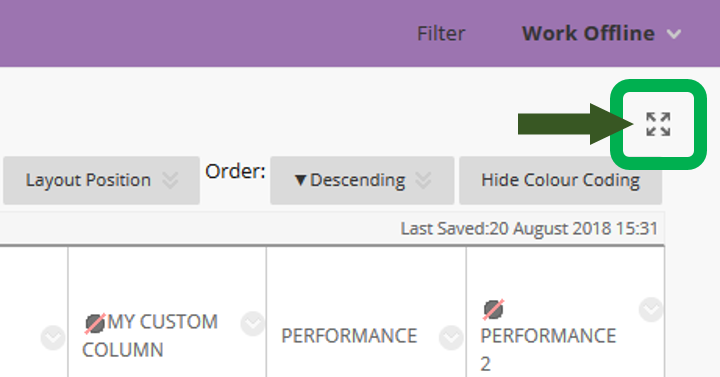
- An ‘expand‘ button in the top right-hand corner so you can see more Grade Centre ‘real-estate’:
- also responsive column headers so that they will stack if they are long and need to go onto two lines or more:

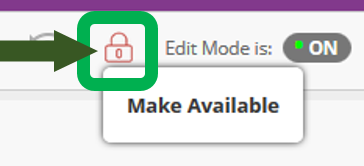
- and a tool that we think will come in very handy is the new ‘Availability‘ button for quick on/off access to the course or module.
If you would like any further help or advice on your use of Learning Edge, Blackboard or any other learning technologies then please get in touch with your departmental Learning Technologist. Details can be found within the Staff and/or Help tabs within Blackboard:

…or you can drop a line to [email protected]