-
Blackboard Collaborate – Introducing Gallery View
A new feature is now available to use as a Moderator in your online lecture and seminar sessions in Blackboard Collaborate – Gallery View. What is Gallery View? Similar to other video conferencing platforms, Gallery View will allow Moderators to see up to 25 camera feeds from session attendees on their screen, allowing them to…
-
Blackboard Ally Course Accessibility Report
One of the beneficial features of Blackboard Ally is the Course Accessibly Report. For each module it shows: Overall course accessibly score. List of issues that have been identified in the course. Distribution of course content by type. The accessibility report organises content into options such as “Content that’s easiest to fix” and “Content with most severe issues”.…
-
Getting Digital Ready – March’s staff development offer
This month we have a range of bookable staff development sessions on offer, from getting started with Learning Edge to implementing breakout rooms successfully. Spotlighted sessions Take a look at March’s bookable staff development sessions below. Please email [email protected] to book on. Thursday 4th March (12pm-1pm)OneDrive: Making online collaboration and sharing easy Thursday 4th March (1pm-1:30pm)Using…
-
Attendance Scheduling with Qwickly Attendance
Today, we’re excited to announce that Qwickly attendance session scheduling is now available within all Blackboard courses. This feature has been a widely requested among staff here at Edge Hill University, and now all users have the ability to bulk create scheduled attendance sessions into their online register schedule. Typically, staff create an attendance session…
-
Build Accessible-Student Use of Alternative Formats
In Jan 2019 EHU acquired a new technology called Blackboard Ally to help improve the accessibility of content within Blackboard, in line with UK legislation. Ally not only provides staff with an accessibility score and guidance on files uploaded to Blackboard but also provides the files in alternative formats. Alternative formats provide greater opportunities for everyone to access the information they need in…
-
Build Accessible – Inclusive Content by Design
Introduction From 23rd September 2018, it became law for public sector bodies to make the content of their websites and mobile apps more accessible to users under the Public Sector Bodies Accessibility Regulations 2018. This government regulation* is an extension of the Equality Act 2010 and is benchmarked against the Web Content Accessibility Guidelines 2.1…
-
Online Learning Loading …
Before we break for Christmas, take a look at three new sessions that are available for staff to book onto. These sessions specifically focus on moving your teaching online and incorporating some new technologies. To book onto any of the below sessions please email [email protected]
-
LTD Q&A Sessions
In response to supporting staff with digital technologies and staff development, we have developed a new initiative called LTD Q&A. These informal Q&A drop-in sessions are aimed at supporting staff with digital teaching and learning tools, digital technologies and staff development. For example, come along and ask us a question about Blackboard Collaborate, Microsoft Teams, PowerPoint,…
-
We don’t need no stinkin’ badges! Do we???
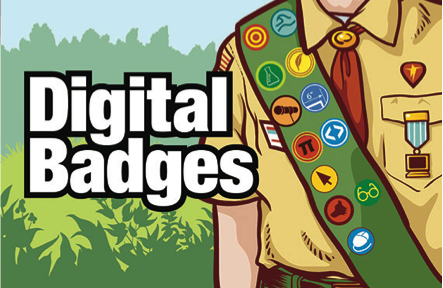
Today I’m going to discuss badges, and nope, not the ones which are worn and collected by boy or girl Scouts, I’m talking about the digital type, though it would be wise to point out that digital badges are actually somewhat modelled after this type of Scout badging system. Similar to a physical badge, which…
-
New and Improved Content Editor for Blackboard
Arriving with a *※BANG※* 5th November! An updated, easier-to-use, more powerful Content Editor will be available from 5th November within Learning Edge (Blackboard). The Content Editor, if the term doesn’t sound familiar, can be found in many places across Blackboard such as when you create an item, folder or blank page or when formatting text…
