

-
Panopto at your service
Panopto at Edge Hill University
The Panopto System at Edge Hill University is the University’s video management system for secure scalable hosting of video and audio resources.
Seamlessly integrating with Learning Edge (Blackboard), all seminar and lecture theatres are fitted with the latest recording and capture equipment, making it easy for tutors to use and access the Panopto System no matter where they are on campus. Capturing a lecture can be as simple as pressing a record button from within your computer desktop.
There are three key reasons why lecturers say it is important to provide students with Panopto recordings. These are:
- To enhance student satisfaction. All students experience high quality and fulfilling University education that enriches their lives and careers.
- To offer better provision for students with disabilities, medical conditions or other commitments that sometimes make it impossible for them to attend classes physically. Accessibility and inclusivity are becoming ever more important drivers for the adoption of this technology.
- To improve student learning outcomes. Analytics show students are using Panopto recordings as a support mechanism and revision tool, to check key terms, concepts and understanding for a topic during the assessment period.
Safe learning for complex concept rules (Transcript).

How-to videos or video tutorials (Transcript).

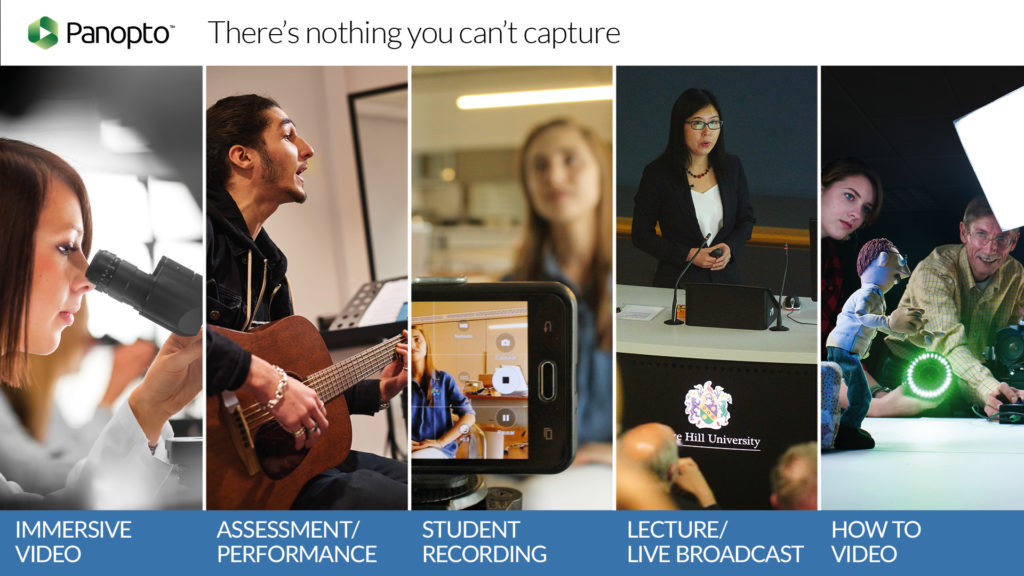
The use of Panopto to create how-to videos is growing on campus. These types of video fall under two categories:
1. Practical videos to build-up skills or enhance the student experience:
- Orientation and induction for first-year students.
- Recordings that help explain assessment criteria and rubrics.
- Explainer videos that teach students about key university systems.
2. Tutorial videos that relate to specific elements within a course or discipline:
- Videos of laboratory demonstrations with multiple camera angles.
- Tutorials on musical techniques.
- Demonstrating software packages students need to use as part of their course.
New Research: Students’ Opinions and Expectations for Lecture Capture
Student Voice: Derek, 3rd Year Marketing Student (Transcript).
There’s a growing movement for online video tutorials, people are using platforms such as YouTube, Vimeo and Linkedin Learning and students are turning to these technologies to teach themselves new skills. As a result, there’s an expectation that these types of resources will form part of their learning experience at University. Panopto provides staff with the tools that offer students a safe and secure way to engage with taught sessions and content.
With a simple tick of a box, Panopto will automatically generate a webcast link and stream your sessions live so that distance students can access them.
Live broadcasting (Transcript)

Opportunities for live broadcasting:
- Streaming live lectures to overflow classrooms.
- Sharing guest lectures with external audiences.
- Hosting ‘live lounges’ for music performances or concerts.
Along with the latest classroom equipment, Panopto is helping to expand your reach beyond the physical campus and offers a ‘humanised’ digital experience that makes both existing and new audiences feel like they’re part of a community of learning.
If you would like to learn more about Panopto, talk to your Learning Technology Development Officer or to find out more about Panopto at Edge Hill and the level of support available, contact the [email protected].

Martin Baxter Learning Technology Development Officer
-
Qwickly Attendance LTI version launch
Qwickly Attendance is officially switching to the LTI version and will be live from Monday 9th September.
The LTI version uses a more up to date and universally compatible technology. In anticipation of the potential change a link was included in the Baseline template for all new 2019 course instances created.
If you are using a ‘2019_’ course, you will initially see the two options as shown below.
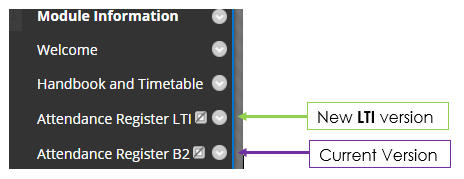
As of Monday 9th September the ‘Attendance Register LTI‘ will work, while the ‘Attendance Register B2’ option will no longer function, in fact it should disappear.
Actions
- You should show the LTI link if students will need to access it for Check-In, and hide the B2 link if it is not already hidden.
- If staff are taking attendance in pre 2019/20 Blackboard courses with, for example, the ‘2018_’ prefix, then a new Qwickly tool link will need to be added in the left hand course menu. When adding the menu tool link, please select ‘Qwickly Attendance LTI’ and then give it the name ‘Attendance Register LTI’ for consistency.

Are there any key differences?
The main differences are behind the scenes, in how it is set up and works. Any fixes and enhancements will happen seamlessly as Qwickly support will apply them remotely.
Existing users
If you have already been using Qwickly, then data added to Tableau will still be available there. We have retained a copy of the full set of data so if any specific queries arise we have this as reference.
New view options
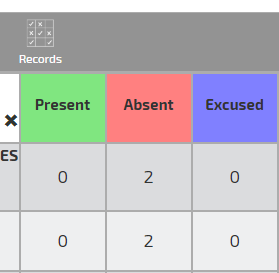
You will see two new options when viewing the Attendance Record.
Reverse – reverses the order in which the register sessions are displayed
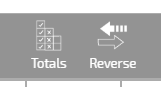
Totals – shows a count of the different attendance statuses for each student, across all recorded sessions. Click ‘Records’ to return to the normal view
Please contact LTD Support with any queries.
- You should show the LTI link if students will need to access it for Check-In, and hide the B2 link if it is not already hidden.
-
Digital Accessibility – Creating Accessible Content

New Legislation
New accessibility legislation means that Universities have to make improvements to the information on our websites and VLE. This includes all of your uploaded documents. The rules will apply to new online content from Sept 2019 and will be applied to existing content by Sept 2020.
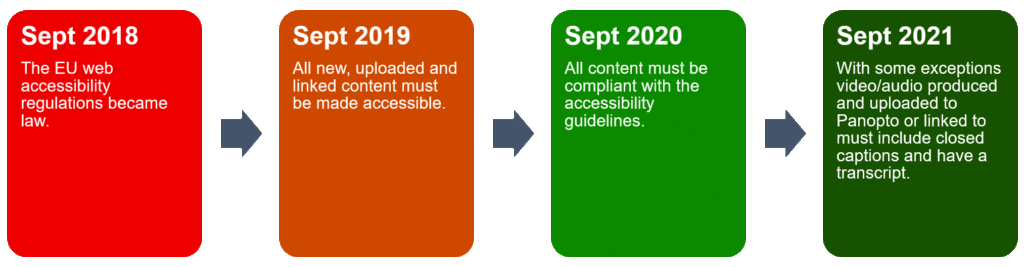
As you are setting up new modules over the summer this is a perfect time to check the accessibility of content. For 2018/19 our content accessibility score was 64% which is a great baseline to start from. If you would like to check how accessible a course/module is get in touch with ltdsupport and we can provide the information & a summary of the top issues.
It is essential that all department managers ensure that accessibility is high on the agenda for any departmental meetings so that all staff are aware of their obligation to make their course materials accessible.
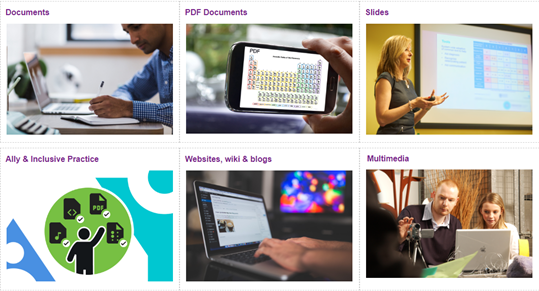
With just a few quick and simple steps you can vastly improve the content you upload to Learning Edge, so that all students are able to use it in a way that suites them and their needs. We have put together a resource kit in our wiki pages containing lots of information on how to make your content accessible.

Leah Wilson – Operations Coordinator


